
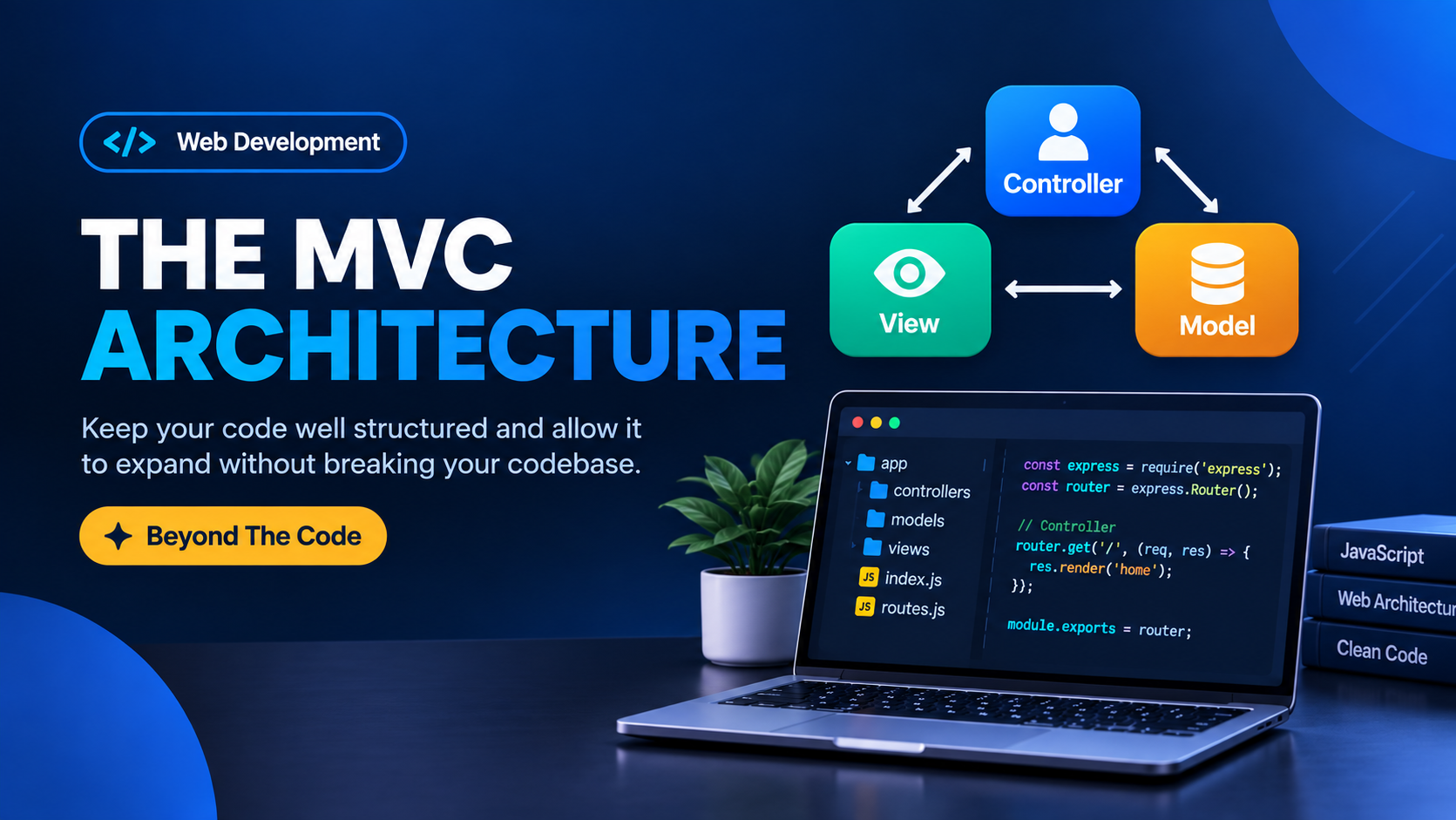
THE MVC ARCHITECTURE
Keep your code well structure and allow it to expand without breaking your codebase.
When building a pretty large project with Vanilla JS, there is a need to organize your code in a manner that makes expanding your project in the future very easy. When the project expands, it needs a structure that keeps it organized and perfectly maintained. In this article, we will look into how to setup Model-View-Controller Architecture with Vanilla JS.
PS: Kindly note that understanding ES6 Modules is very important to implement MVC design pattern with this approach.
MVC DESIGN PATTERN
Before we continue we need to understand what design pattern is all about. Frontend Design pattern is a specific way of organizing and structuring your codebase making it easy to expand and navigate in future updates. In popular frameworks like React, Angular, Svelte, there are already in-built design pattern that you follow without having to create a new one from scratch. But it is quite advisable and best to understand how design pattern works and how to set-up from scratch before moving on to frameworks.
MODEL
Model is like the brain of your project, it's job is to fetch information, store those informations and present it whenever those informations are needed. Here, we have our state object I.e. all information needed to be either updated or are particularly important to our app. It does the function of keeping important information that will be need all across our app. Also it contains codes that are particular to business logic and Fetch API. That is to say, in Rest Countries API for example, our model fetches data from rest countries API, store it state object and get it exported to be used in the controller.
export const state = {
  name: 'Rest Countries API',
  allCountries: ['Nigeria', 'Togo']
  numOfCountries: 250,
}

export async function getCountries() {
const res =  await fetch('restcountries.api');
return res.json()
}
What the model basically does is to store and export the app state, business logic functions, API CALLS. Business logic in the sense that: the main function of your app. For example, main function of WhatsApp is to send message, then the model handles that, for a car - it's main function is to drive, then it's drive function is inside the model. The main function of our Rest Countries API is to get all countries in the world and that lives in the model.
And it's very important to understand that exported state is live link. That means where ever it is imported, every update to the model along the way is directly synced.
VIEW
View handles all our presentation logic. Here, anything related to the DOM is handled. And the best approach for this is to use ES6 Classes. This is because a Class encapsulates our DOM elements into a single class. What the view does is to take data from model and then re-renders the DOM anytime the state changes. And it is very important to understand that the view has no knowledge of model existence, and this is where Controller comes in. The job of the view is to to be called by controller to check if any change has happen and if so re-render the DOM.
Class CountryView(){
  this._parentElement = document.querySelector('.container')
  this.#data

  renderMarkup(data){
    this.#data = data;
    this.clear();
    this._parentElement.innerHTML = this._generateMarkup();
  }

  generateMarkup(){
   return `<h1>This is a test</h1>`
  }

  clear(){
   this._parentElement.innerHTML = '';
  }
}

export default new CountryView()
Using our Rest Countries API, for view, we can have CountryView, PaginationView, SearchView, where the CountryView displays all countries, PaginationView display pagination for the list of countries and SearchView displays search results. Each, a separate module under view.js, handles different aspect of UI. With View, we say it handles the presentation logic.
CONTROLLER
This, is the controller, and it controls the application logic. WhatsApp sends messages, how the send is sent is the controller does. It takes business logic or data from the model, then apply it(application logic) with specific functions from the view. Each one of Model and View exist on its own, exporting function, data or logics while the controller creates a bridge between the two. It watches data from one to know what to do with the other. From our example, Rest Countries API, our controller will handle functions that render countries, implement search input.
The controller takes from model, also receives from view, but never does the reverse occur. No link between the model and the view, the controller exists to create that bridge.
import {getCountries, state} from 'model.js'
import countriesView from 'countriesView.js'

function controlCountries(){
  state.countries = getCountries();
  countriesView.renderCountries(state.countries);
}

controlCountries()
CONCLUSION
In summary, the model handles the business logic I.e. the most important function of our all, state management and API calls. For Views, it handles presentation logic - every DOM-related, while the controller brings everything to play, it takes the idle function of the model and display it with the help of view function.
To understand how design patterns like MVC works is as important as every other thing, as this is the fundamental on which popular frameworks operates. So, before moving on to learn these framework, it is important to understand how this work so you actually understand how these framework do the job behind the scenes.